Back to Shop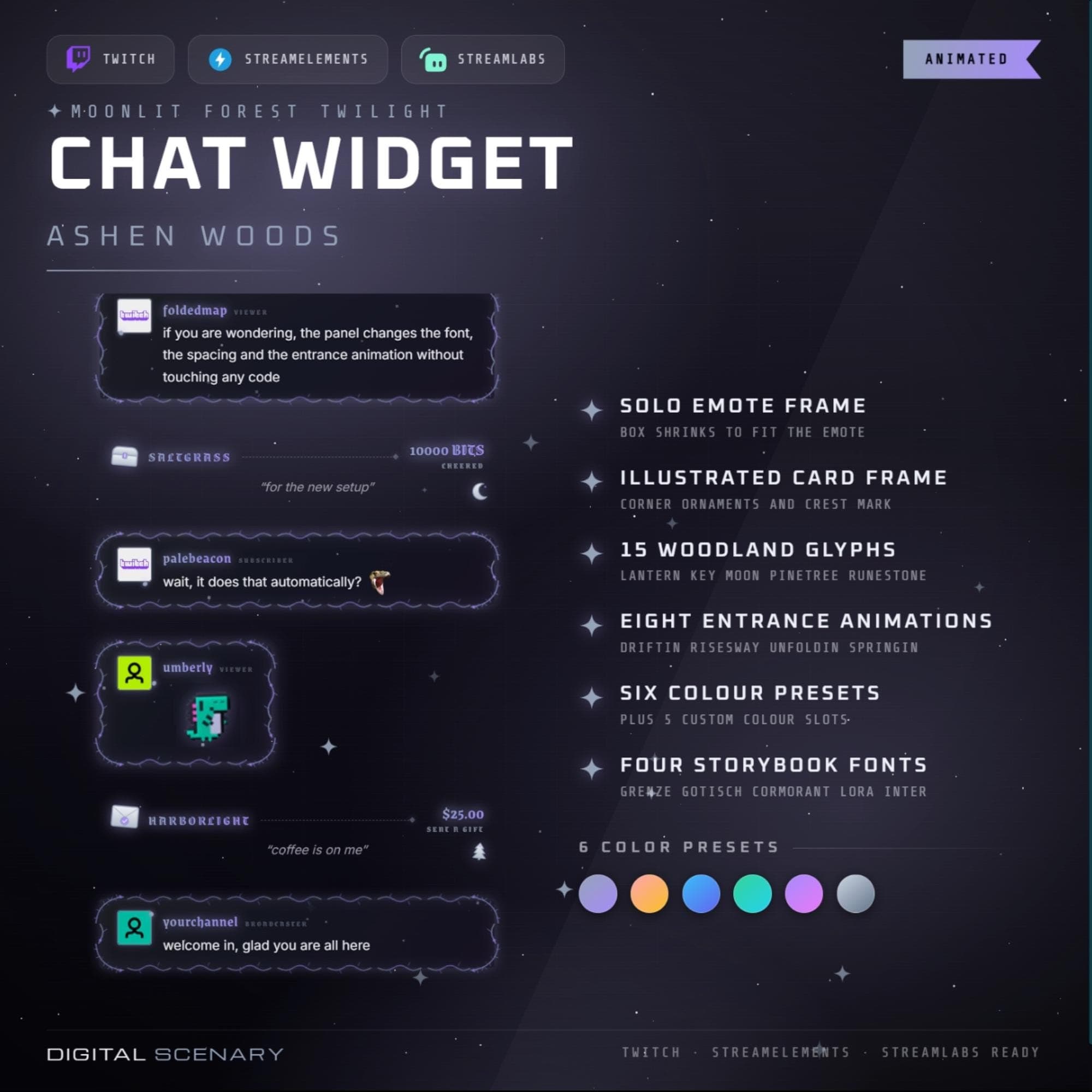 −16%
−16%
−16%Chatbox
Ashen Woods Animated Bubble Chat Overlay for Twitch
$5.39$6.40 on Etsy
Buy more, save more2 items −10%3 items −15%5+ items −25%
Buying once gets you the files, forever. A membership gets you this widget plus the rest as hosted OBS links you edit from a dashboard. Compare them.
Instant download
Lifetime updates
Live in 60 seconds
Works With
StreamElementsStreamlabsOBS Browser Source
What's Inside
- Animated bubble chat layout
- 8 entrance animation styles
- 6 colour presets plus custom slots
- Solo emote frame included
- Illustrated woodland card frame
- OBS, Streamlabs, StreamElements ready
- Illustrated PDF setup guide
twitch chat overlay · animated bubble · obs browser source · streamlabs widget · streamelements · vtuber decor · stream graphics · emote frame · youtube kick panel · misty forest theme · grey ash art · moody aesthetic · eerie design
About This Pack
Ashen Woods is an animated bubble chat overlay for Twitch, YouTube and Kick, built from bare branches drifting through grey forest mist for moody streams. Chat messages rise into illustrated bubbles instead of sitting on top of your feed as plain text, so returning viewers get something to recognise the moment they tune in. It's the kind of widget I designed with soulslike runs and survival horror streams in mind — anything that leans into a quiet, eerie mood.
Ashen Woods Twitch Chat Widget is an animated bubble-style chat overlay built for OBS, Streamlabs and StreamElements as a browser source. The package includes a solo emote frame that shrinks the bubble to fit a single emote, plus an illustrated card frame with hand-drawn corner ornaments and a small crest mark for regular chat messages. 15 woodland glyphs — lanterns, keys, moons, pine trees and runestones — sit inside the frame details for texture without cluttering the text. 8 entrance animations control how each message enters, from a slow drift to a gentle rise or spring. 6 colour presets cover the ashen grey, moonlit purple and forest tones shown in the previews, with 5 extra custom colour slots if you want to match your own palette exactly. 4 storybook fonts, including Grenze Gotisch for usernames and Cormorant or Lora for message text, keep the woodland feel consistent. Font, message size, spacing and fade timing are all adjustable from a settings panel, no code required.
Setup is a browser source, not a server. Copy the OBS, Streamlabs or StreamElements source URL from the download, drop it into your scene and pick a colour preset — the layout keeps working at stream resolution instead of shrinking into a fight with your message text. An illustrated PDF guide walks through every setting in the panel, from message spacing to badge display, if you'd rather not guess.
I built Ashen Woods for the streams that live in a quieter, eerier register — soulslike runs, survival horror, slow atmospheric nights where the mist matters as much as the gameplay. Twitch, YouTube and Kick badges, subs, cheers, raids and follows can all show up inside the same bubble stack, styled to match. Buy it once and use it across every channel you run — Twitch tonight, YouTube or Kick tomorrow.