Back to Shop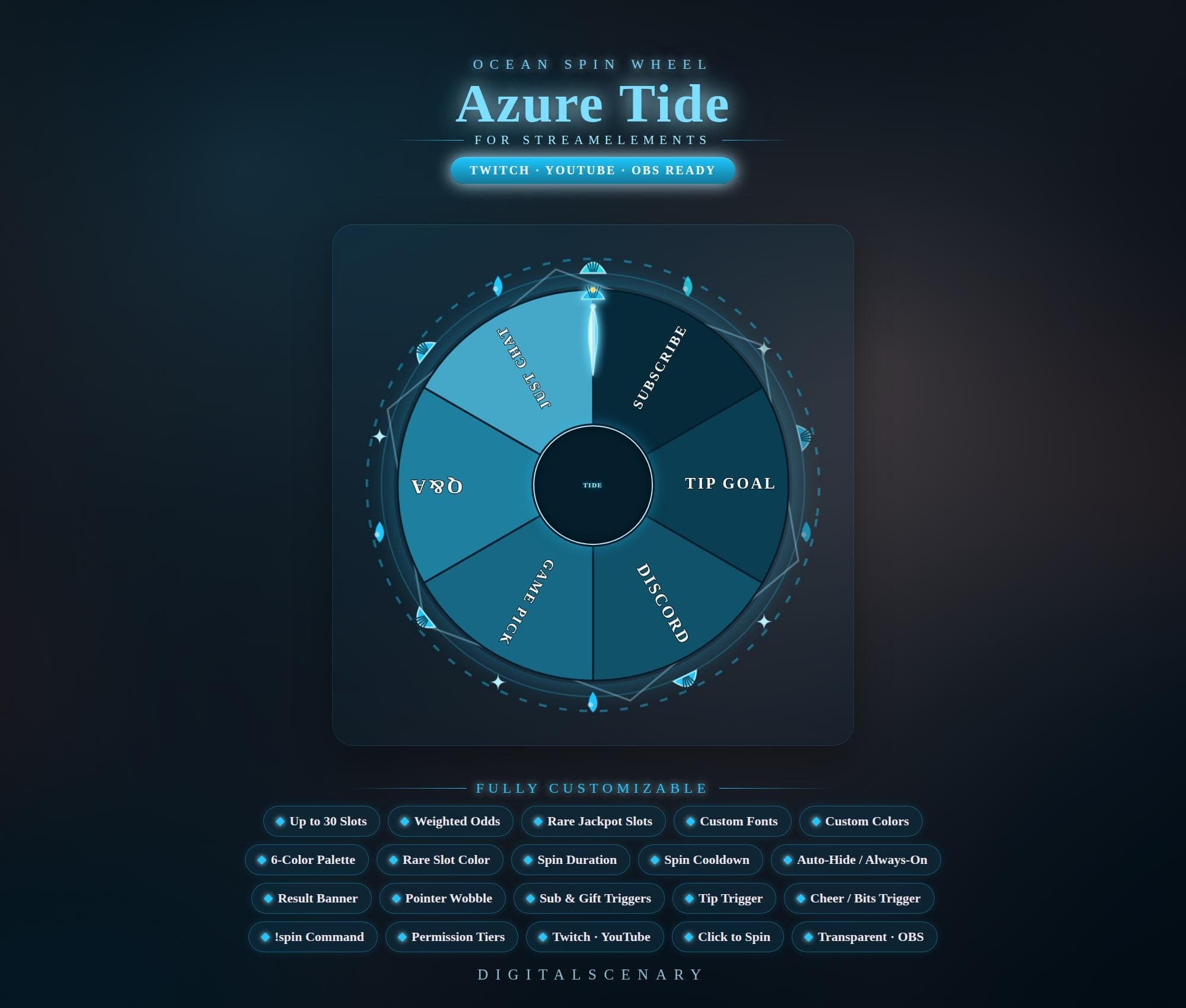 −16%
−16%
−16%Chart
Azure Tide Ocean Spin Wheel Widget for Twitch & OBS
$4.39$5.20 on Etsy
Buy more, save more2 items −10%3 items −15%5+ items −25%
Buying once gets you the files, forever. A membership gets you this widget plus the rest as hosted OBS links you edit from a dashboard. Compare them.
Instant download
Lifetime updates
Live in 60 seconds
Works With
StreamElementsStreamlabsOBS Browser Source
What's Inside
- Up to 30 customizable slots
- Weighted odds & rare jackpot slots
- 6-color palette, custom fonts
- Sub, tip & bits triggers
- !spin chat command
- Transparent, OBS-ready overlay
azure stream wheel · ocean spin game · twitch overlay · obs stream tool · youtube spinner · customizable wheel · interactive stream · streamelements kit · game pick wheel · tip goal graphic · subscriber reward · discord community · wheel game widget
About This Pack
Azure Tide is an animated ocean-themed spin wheel widget for Twitch and YouTube streams, built on StreamElements with up to 30 fully customizable slots. I designed it for streamers who want their giveaways and game picks to feel like part of the scene, not a bolted-on graphic. The glowing blue palette and soft wave-inspired background sit quietly behind your gameplay until it's time to spin.
Azure Tide is a StreamElements spin wheel widget with a deep-blue oceanic look and glowing accents. It ships as a transparent, OBS-ready overlay that drops straight into your existing scene. The wheel holds up to 30 customizable slots, so you can label sections however you like. Presets like Subscribe, Tip Goal, Discord, Game Pick, Q&A, and Just Chat are ready to edit or replace. A weighted odds system lets you set the probability of each slot. Rare jackpot slots add a chance at bigger wins. Six color palette options and full custom fonts let you match the wheel to your channel's branding. Adjustable spin duration and cooldown settings control how often viewers can play. Sub and gift triggers, a tip trigger, and a cheer or bits trigger let subscriptions and donations spin the wheel automatically. The !spin chat command and permission tiers let you decide exactly who can trigger a spin.
Setup takes about a minute. Download the ZIP, extract it, and add the browser source URL to OBS or Streamlabs — the wheel is transparent and OBS-ready, so it layers straight over your existing scene without extra masking. It's built specifically for StreamElements, and once it's linked to your channel, triggers and chat commands work without any extra bot setup.
Viewers can land a spin through a sub, a gifted sub, a tip, cheers and bits, or by typing !spin in chat. Permission tiers then let you decide whether that command is open to everyone or reserved for subscribers. Click-to-spin gives you manual control too, so you can start a round yourself between games. It works well for subscriber giveaways, game-pick segments, Q&A rounds, and tip-goal celebrations — anywhere you want chat to feel like it's steering the show.
Once you own Azure Tide, it's yours — no subscription, no recurring fee, just a file that's ready whenever you want to spin something new into your stream.