Back to Shop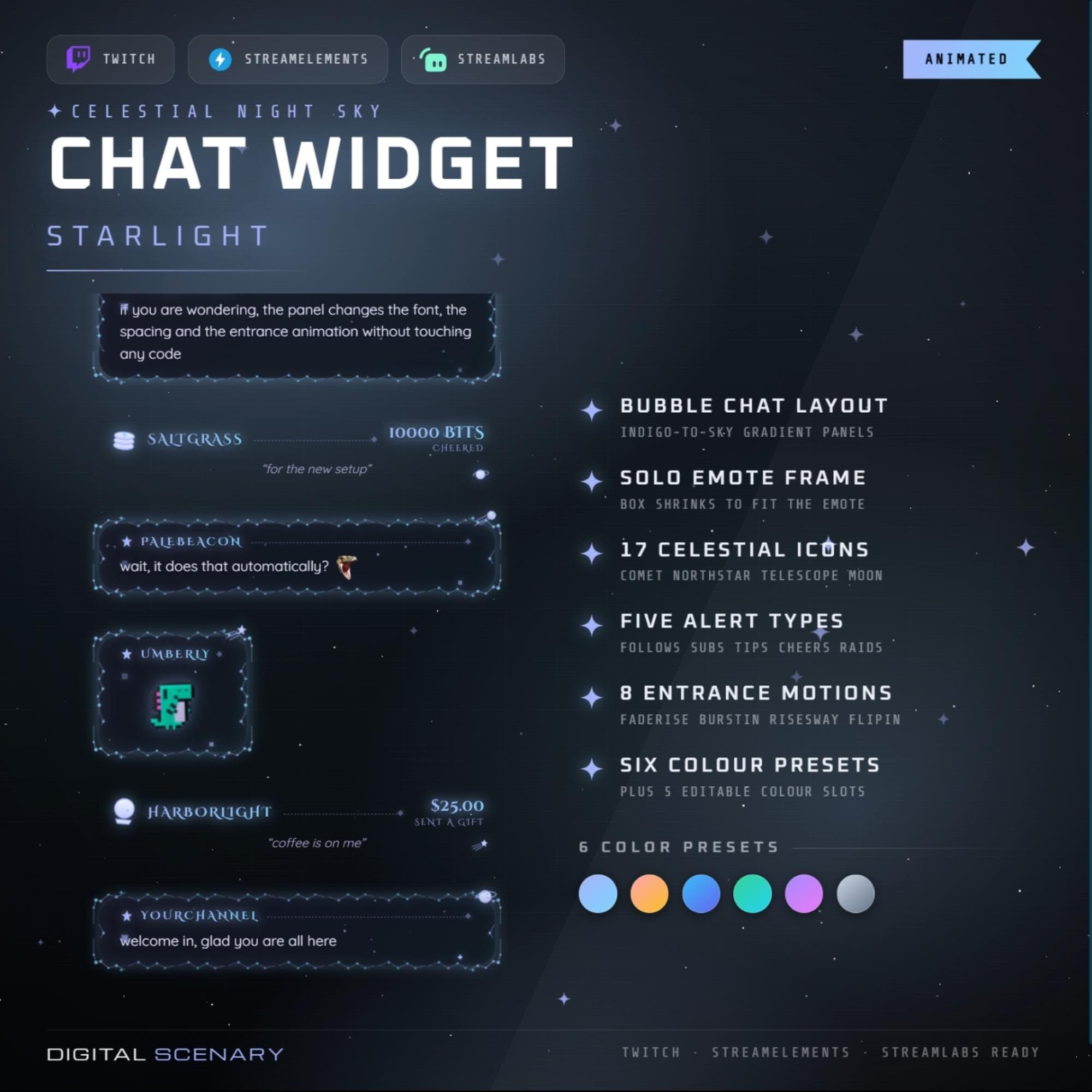 −16%
−16%
−16%Chatbox
Celestial Night Sky Chat Widget for Twitch Overlays
$5.39$6.40 on Etsy
Buy more, save more2 items −10%3 items −15%5+ items −25%
Buying once gets you the files, forever. A membership gets you this widget plus the rest as hosted OBS links you edit from a dashboard. Compare them.
Instant download
Lifetime updates
Live in 60 seconds
Works With
StreamElementsStreamlabsOBS Browser Source
What's Inside
- 17 celestial icon set
- 6 color presets, 5 editable slots
- 8 animated entrance motions
- 5 alert types: follows to raids
- Solo emote frame auto-resize
- OBS, Streamlabs, StreamElements ready
- EB Garamond and Cinzel fonts
animated stream overlay · twitch chat widget · obs streaming kit · streamlabs alerts · celestial theme · night sky overlay · customizable panels · emote frame design · gradient chat box · motion stream element · starlight twitch · cosmic stream setup · digital scenery kit
About This Pack
Celestial Night Sky is an animated Twitch chat widget with a starlit bubble layout and glowing constellation icons for OBS, Streamlabs, and StreamElements. Every message rises into a soft indigo-to-sky gradient panel. The box also shrinks to frame a single emote when that's all someone sends. I built it for streamers who want their whole channel to feel like part of the night sky.
The Celestial Night Sky Chat Widget is an animated overlay pack built around the Starlight theme for Twitch, YouTube, and Kick chat boxes. It includes a bubble-style layout with indigo-to-sky gradient panels and a solo emote frame that resizes itself to fit any single emote cleanly. Seventeen celestial icons, including comet, north star, telescope, and moon designs, are scattered through the chat and alerts. Five animated alert types cover follows, subscriptions, tips, cheers, and raids, each dropping into the same starlit frame as regular messages. Eight entrance motions, including Fade Rise, Burst In, Rise Sway, and Flip In, control how every message and alert enters the screen. Six ready-made color presets plus five editable color slots let you shift the whole widget from cool blue to warm orange without opening any code. Message fonts, spacing, and badge display are all adjustable from a simple settings panel.
Setup takes a browser source and a few minutes. Drop the starlight.zip files into OBS, Streamlabs, or StreamElements, then point the widget at your Twitch channel name. The settings panel controls max messages, message duration, event duration, chat position, and spacing between messages. Twitch badges and each alert type — follows, subs, tips, cheers, and raids — can be switched on or off independently. Message text uses EB Garamond and Cinzel, with adjustable size and weight.
This pack was designed for streamers who want their chat to feel cozy and moonlit, matching the rest of their scene instead of fighting it. Once you own the Celestial Night Sky Chat Widget, it's yours to reuse on every future stream — no subscription required. It also works alongside any other Digital Scenery overlay pack, or stands on its own for a first night-sky setup, no matter which platform you stream on.
The download includes the starlight.zip file with every scene, alert, and icon ready to import, plus preview images showing how each piece looks. It's built for personal use on your own channel — Twitch, YouTube, or Kick — with no coding required to make it feel like yours.