Back to Shop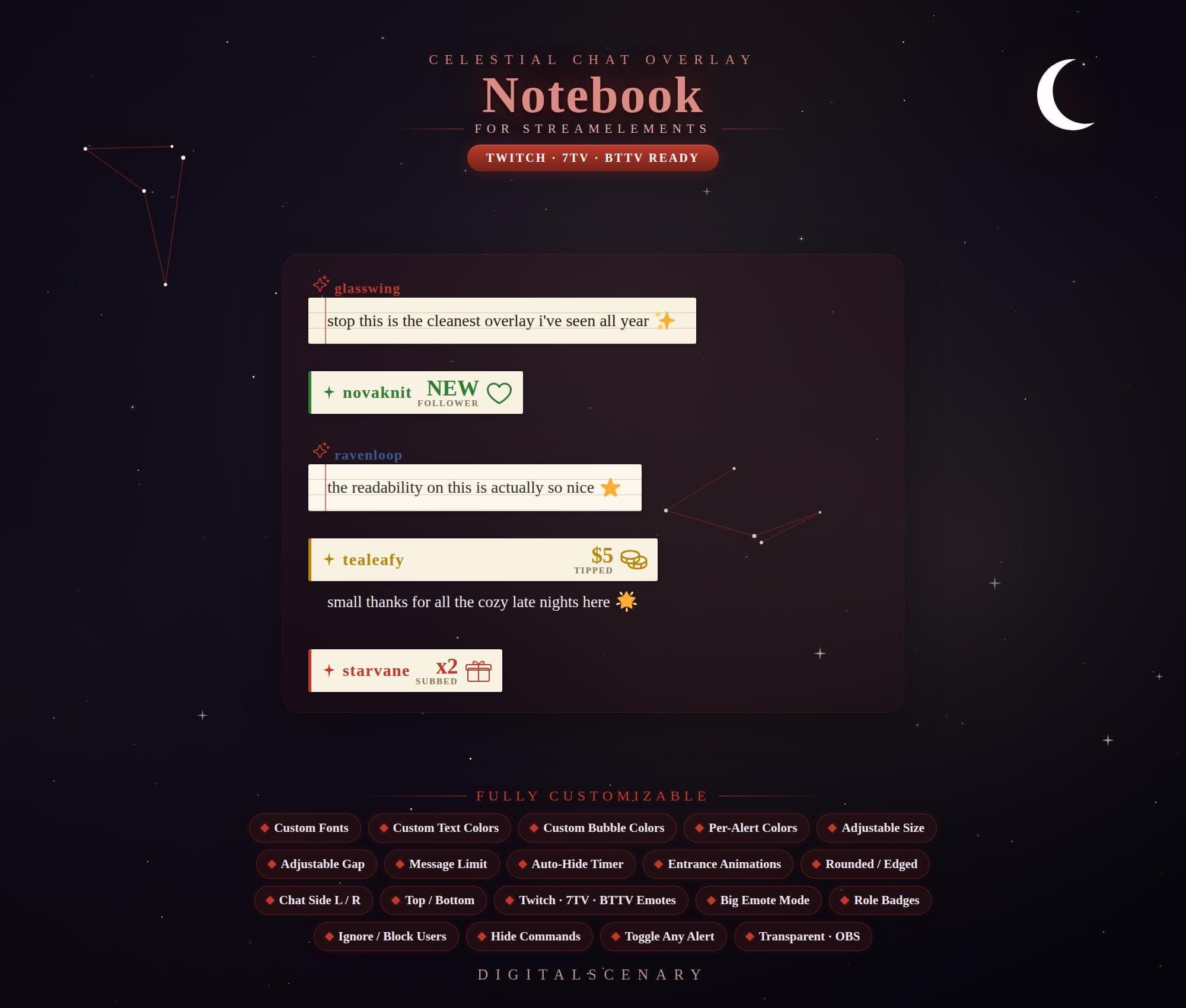 −16%
−16%
−16%Chatbox
Celestial Notebook Chat Overlay for Twitch & Kick
$4.39$5.20 on Etsy
Buy more, save more2 items −10%3 items −15%5+ items −25%
Buying once gets you the files, forever. A membership gets you this widget plus the rest as hosted OBS links you edit from a dashboard. Compare them.
Instant download
Lifetime updates
Live in 60 seconds
Works With
StreamElementsStreamlabsOBS Browser Source
What's Inside
- Paper-style chat bubbles
- 3 matching alert types
- 19 customization toggles
- Twitch, 7TV, BTTV emote support
- Transparent OBS browser source
- Adjustable chat side & position
- Auto-hide timer & message limit
twitch stream kit · animated chat box · obs overlay pack · celestial design · notebook style theme · cosmic alert box · customizable chat · dark mode aesthetic · night sky graphics · modern twitch setup · streamelements ready · starry gaming theme · minimalist ui
About This Pack
The Celestial Notebook Chat Overlay dresses your Twitch chat in soft paper-bubble messages under a moonlit, constellation-dotted night sky every night. Thin constellation lines and a crescent moon frame the corner, so chat reads like part of the scene, not a box stapled on top.
Celestial Notebook Chat Overlay is an animated Twitch chat widget with a cozy, night-sky, notebook-style theme. It replaces a plain chat box with paper-like message bubbles set against a starlit background. The package includes the main chat display plus three matching alerts for new Followers, Tips, and Subscribers. Every alert keeps the same warm, moonlit color palette as the chat itself. The whole set is built around 19 separate customization settings. These cover fonts, text and bubble colors, per-alert colors, size, spacing, and corner rounding. You can also adjust entrance animations, the auto-hide timer, chat side and position, message limit, big emote mode, role badges, user ignore or block controls, command hiding, and per-alert toggling. It supports Twitch, 7TV, and BTTV emotes, and drops into OBS Studio, Streamlabs, or StreamElements with a transparent background.
Setup takes a few minutes. Download the zip file, add each piece as a browser source in OBS or Streamlabs, or import it straight into StreamElements, and connect it to your channel. Colors, fonts, and every toggle live in simple on-screen fields, so you can match your stream's palette without touching a line of code. Once it's set up, it's yours — no subscription, no recurring fee.
This one's for streamers who want their chat to feel considered — cozy late-night streams, story-driven content, or any channel leaning into a soft, celestial mood. If a color or size needs adjusting once you're live, everything stays editable, so your chat overlay keeps growing with your setup. I'm August, and I made this overlay myself; if you get stuck on the import, just reach out and I'll help you get it running.