Back to Shop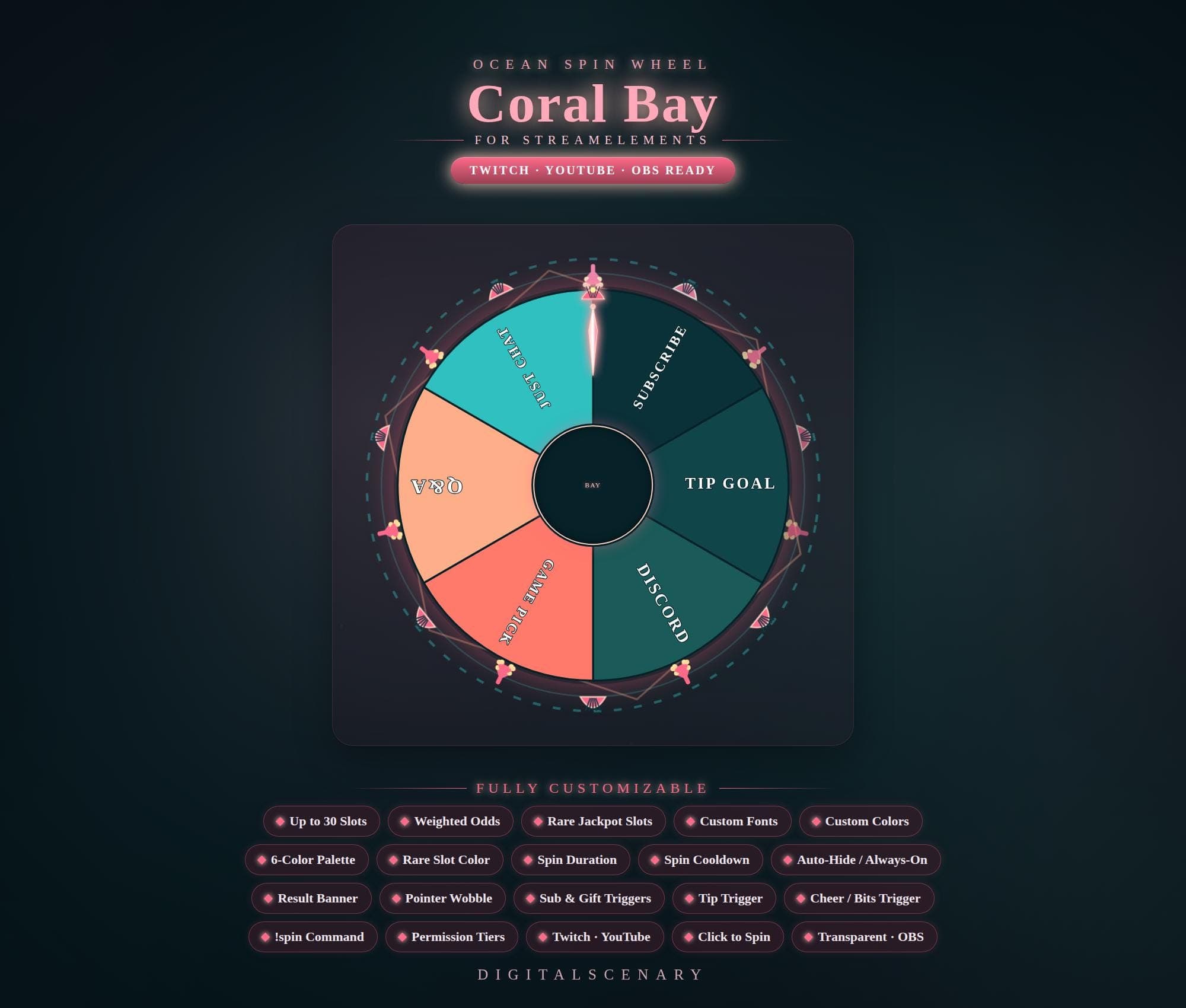 −16%
−16%
−16%Chart
Coral Bay Customizable Spin Wheel Overlay for Twitch
$4.39$5.20 on Etsy
Buy more, save more2 items −10%3 items −15%5+ items −25%
Buying once gets you the files, forever. A membership gets you this widget plus the rest as hosted OBS links you edit from a dashboard. Compare them.
Instant download
Lifetime updates
Live in 60 seconds
Works With
StreamElementsStreamlabsOBS Browser Source
What's Inside
- Up to 30 configurable slots
- Weighted odds and rare-slot color
- 6-color palette plus custom colors
- Custom fonts and spin duration control
- Sub, tip, and bits triggers
- !spin chat command with permission tiers
- Transparent OBS browser source
twitch spin wheel · custom wheel game · obs interactive overlay · streamelements widget · animated stream overlay · coral bay theme · tip goal trigger · chat command trigger · gaming stream kit · live event tool · weighted odds spinner · rare jackpot slots
About This Pack
Coral Bay is a customizable, ocean-themed animated spin wheel overlay for Twitch, YouTube, and OBS streams, built for StreamElements with up to 30 slots. I built it for the moment your chat yells "spin it!" — a soft teal-and-coral wheel that spins, wobbles, and lands with a little flourish. It's meant to feel like a small on-stream ritual, not a random-number generator bolted onto your layout.
The Coral Bay Customizable Spin Wheel is an animated overlay that spins live on screen and rewards viewers with a randomized outcome. It works with StreamElements and includes up to 30 configurable slots for game picks, sub shoutouts, or tip goals. A 6-color palette comes built in, plus support for fully custom colors and a separate rare-slot color for jackpot outcomes. Weighted odds let you control how often each result lands, so rare slots stay rare. Spin duration and cooldown settings manage the pace between spins, and custom fonts match the wheel to your channel. A result banner announces the winning slot, while a pointer wobble animation builds anticipation as the wheel slows. Chat can trigger a spin with the !spin command, gated by permission tiers you set yourself. Sub, gift sub, tip, and cheer or bits triggers all fire automatically, and the whole overlay runs as a transparent OBS browser source.
Setup happens through your StreamElements account: connect the overlay, then add it as a browser source in OBS Studio or Streamlabs Desktop and it's ready to spin. Colors, fonts, and slot text are all edited from the same panel, so you can match the wheel to your channel without touching any code.
Coral Bay suits streamers who want a calmer, ocean-toned alternative to neon overlays — game picks, Q&A rounds, sub shoutouts, and tip goals all fit naturally into its slots. It's an instant download, and once it's yours, you can reuse it across as many streams as you like.