Back to Shop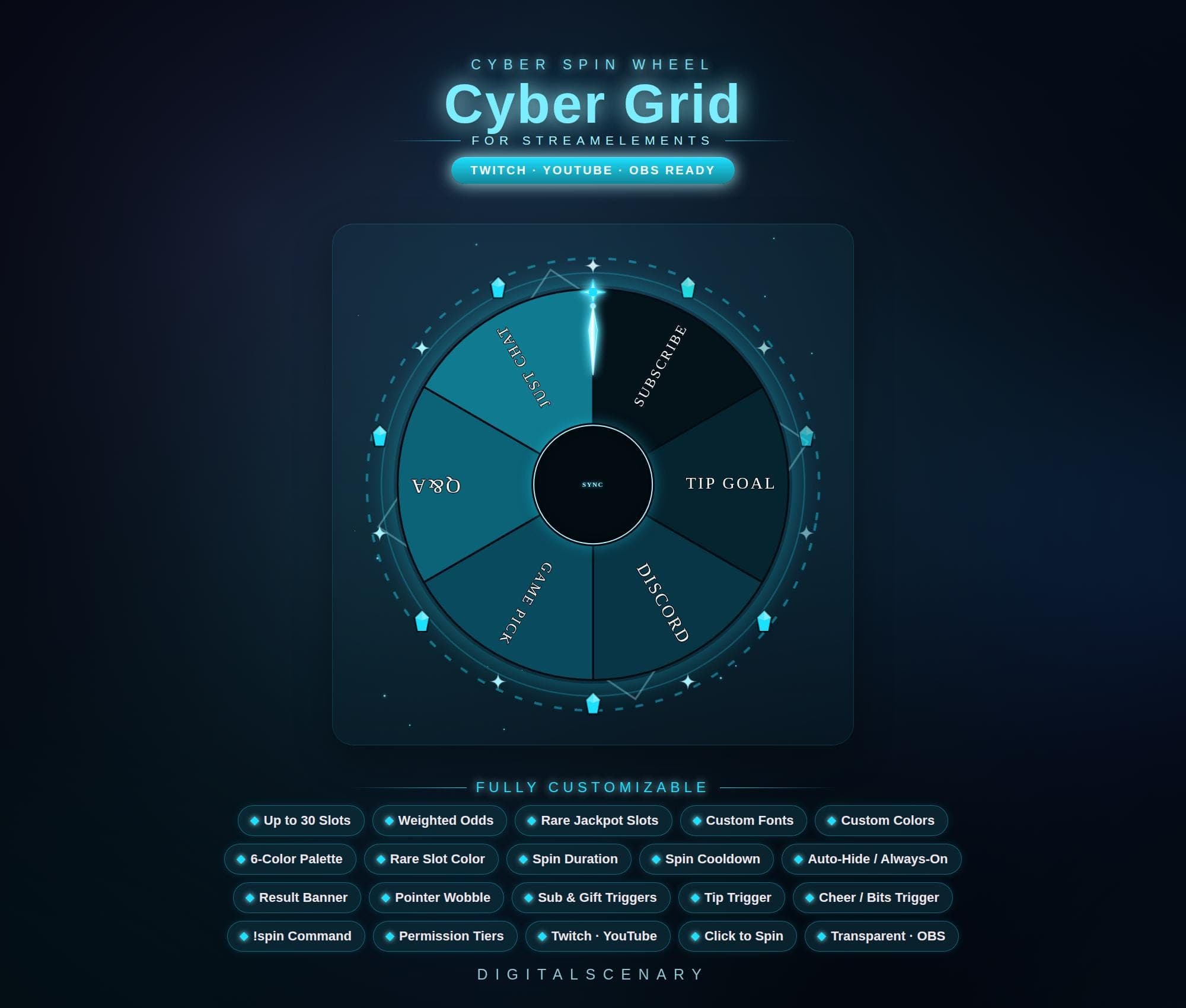 −16%
−16%
−16%Chart
Cyber Grid Spin Wheel Overlay for Twitch & YouTube
$4.39$5.20 on Etsy
Buy more, save more2 items −10%3 items −15%5+ items −25%
Buying once gets you the files, forever. A membership gets you this widget plus the rest as hosted OBS links you edit from a dashboard. Compare them.
Instant download
Lifetime updates
Live in 60 seconds
Works With
StreamElementsStreamlabsOBS Browser Source
What's Inside
- Up to 30 customizable slots
- 6-color palette plus rare slot
- Weighted odds and jackpot slots
- Chat, tip, sub and bits triggers
- Adjustable spin duration and cooldown
- Transparent background for OBS
- StreamElements ready, browser source
cyber spin wheel · twitch overlay · streamelements tool · obs stream kit · youtube gaming · animated wheel · custom reward · live streamer · interaction widget · channel points · bits trigger · subscriber goal · futuristic design
About This Pack
The Cyber Grid Spin Wheel turns your Twitch or YouTube stream into a glowing, teal-and-cyan reward game your viewers can trigger with chat, bits, or subs. I built it for streamers who want their channel points to feel like an event, not just a number ticking up. Every spin lights up the grid pattern around the wheel and lands on a segment your community picked together.
The Cyber Grid Spin Wheel is an animated StreamElements overlay built around a dark blue and teal cyber-grid design, with glowing cyan accents on the pointer and a center "SYNC" button that lights up with every spin. It supports up to 30 slots, so you can fill the wheel with anything from game picks to Q&A prompts to tip goals, and a 6-color palette plus a separate rare slot color let you mark jackpot outcomes that pay off less often. Weighted odds control how likely each segment is to land, spin duration and cooldown settings control the pace, and a result banner announces the winner clearly for anyone watching. Viewers can start a spin with the !spin command, a tip, a cheer, or a sub or gift sub, and permission tiers decide who is allowed to pull the trigger. The background stays fully transparent, so it drops straight into an existing OBS scene.
Setup takes about a minute. Download the file, add it as a browser source in OBS or paste the link into your StreamElements dashboard, and the wheel is ready to spin. Every color, font, and slot label can be changed afterward, so the wheel keeps working even as your rotation of games or rewards changes.
It works well for picking the next game, running a Q&A segment, or celebrating a new subscriber or gifted sub. It's also an easy way to give chat something to aim for during a quiet stretch. The design leans into a moody, high-tech look rather than bright cartoon colors, so it suits gaming and tech-focused channels especially well. The palette is yours to change if your scene calls for something else.
This is one of the more technical-looking pieces in the shop, but the setup itself stays simple — no coding, no extra software, just the file and your existing stream tools. Once it's yours, you can reuse it for as many games and reward rotations as you like.