Back to Shop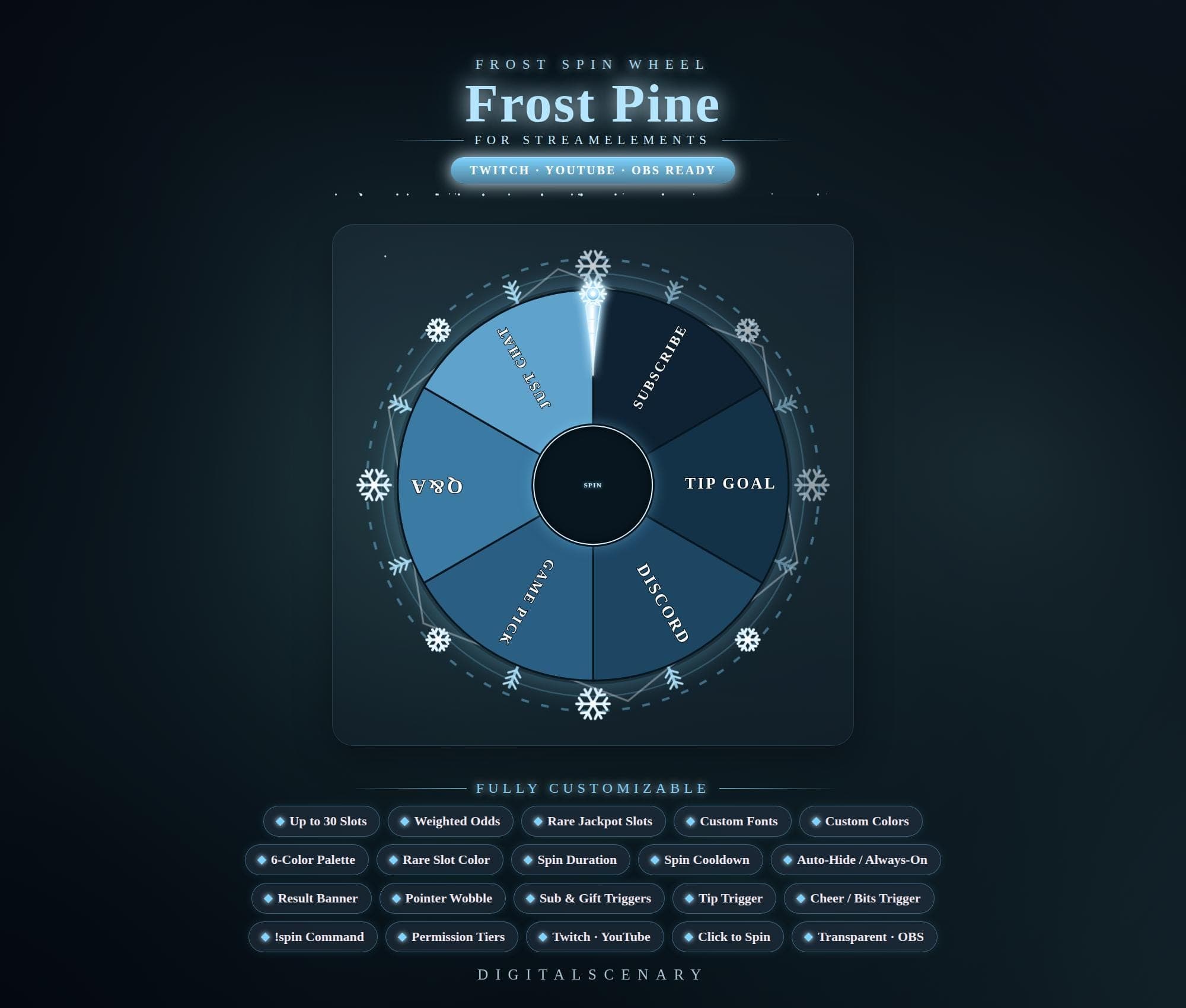 −16%
−16%
−16%Chart
Frost Pine Animated Spin Wheel Widget for Twitch OBS
$4.39$5.20 on Etsy
Buy more, save more2 items −10%3 items −15%5+ items −25%
Buying once gets you the files, forever. A membership gets you this widget plus the rest as hosted OBS links you edit from a dashboard. Compare them.
Instant download
Lifetime updates
Live in 60 seconds
Works With
StreamElementsStreamlabsOBS Browser Source
What's Inside
- Up to 30 customizable slots
- 6-color palette plus rare slot color
- Weighted odds with jackpot slots
- !spin chat command with permission tiers
- Sub, gift, cheer, bits, and tip triggers
- Auto-hide or always-on display
- Transparent browser source for OBS
streamelements wheel · animated spin wheel · twitch overlay kit · obs streaming tool · customizable stream · interactive game · frost pine theme · winter overlay · twitch youtube · streamer gadget · gaming channel · live stream tool · sub goal trigger
About This Pack
The Frost Pine Spin Wheel is an animated StreamElements overlay for Twitch and YouTube that turns chat interaction into a wintry on-screen wheel spin.
I designed it with a cool blue palette, soft snowflakes, and a glowing pointer so it feels like a quiet winter scene rather than a game show prop. It drops into OBS or Streamlabs as a transparent browser source, so it sits right over your existing layout without fighting your other overlays for space.
Frost Pine is an animated spin wheel widget built for StreamElements, ready to run in OBS or Streamlabs as a transparent browser source over Twitch and YouTube streams. The wheel holds up to 30 slots, so you can fill it with anything from Just Chat and Q&A to Game Pick, Discord, Subscribe, and Tip Goal. Odds are weighted per slot, and you can mark rare jackpot options that land less often for a bigger payoff moment. A 6-color palette plus a separate rare-slot color let you match the wheel to your own branding, and custom fonts carry that styling into the text. Spins can trigger automatically from subs, gift subs, cheers, bits, and tips, or viewers can start one themselves with the !spin chat command under permission tiers you control. Spin duration, cooldown, pointer wobble, and a result banner round out the pacing and payoff.
Setup takes a few minutes. Unzip the download, add it to OBS or Streamlabs as a browser source, then open the StreamElements dashboard to set your own slot labels, colors, and odds. Auto-hide keeps the wheel tucked away between spins, or you can leave it always on if that fits your layout better. Once it's yours, drop it into any scene and it just works.
I built Frost Pine for streamers who want their sub goals, Q&A segments, and game picks to feel like part of the scene instead of a bolted-on plugin — the cool blue tones and snowflake details are there to make a winter-themed channel feel like a real place, not just a backdrop. It suits a cozy variety stream just as well as a fast-paced gaming channel, and once you've set your own slots and colors, the wheel is yours to keep spinning stream after stream.