Back to Shop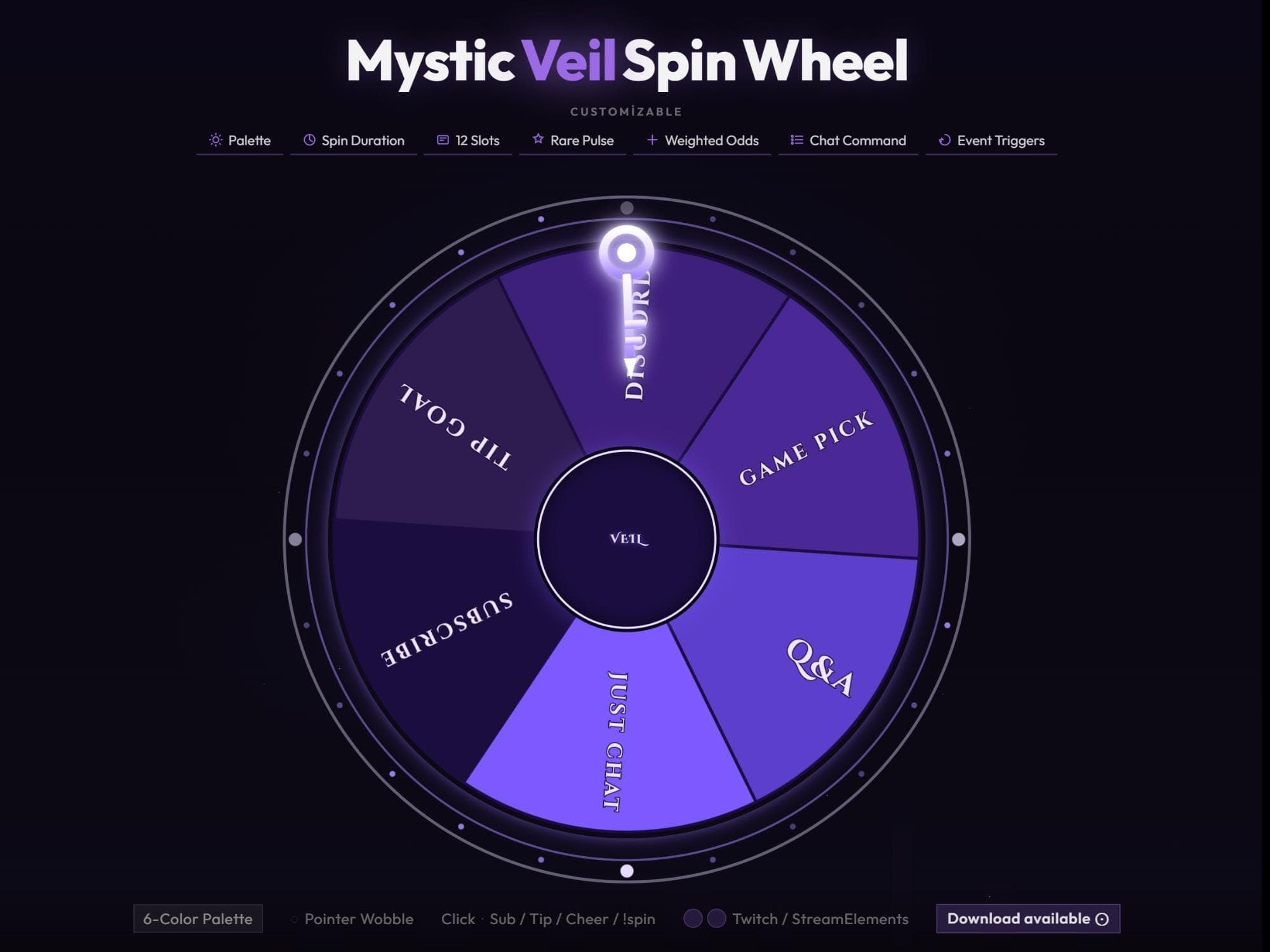 −16%
−16%
−16%Chart
Mystic Veil Interactive Spin Wheel for Twitch Chat
$5.69$6.80 on Etsy
Buy more, save more2 items −10%3 items −15%5+ items −25%
Buying once gets you the files, forever. A membership gets you this widget plus the rest as hosted OBS links you edit from a dashboard. Compare them.
Instant download
Lifetime updates
Live in 60 seconds
Works With
StreamElementsStreamlabsOBS Browser Source
What's Inside
- 12 editable wheel slots
- 6-color customizable palette
- chat-triggered with !spin command
- weighted odds and rare pulse
- one-click OBS browser source
- works with streamlabs and streamelements
mystic spin wheel · twitch prize game · customizable overlay · streamelements kit · interactive chat fun · reward event spinner · gaming engagement · purple stream design · obs channel graphic · veil overlay theme · custom command tool · live streamer asset · digital spin feature
About This Pack
Mystic Veil is a customizable spin wheel overlay for Twitch, YouTube, and Kick with 12 editable slots, glowing purple accents, and one-click OBS setup. I designed it as a small, glowing ritual for your stream — something to pull chat in when the moment calls for a decision. It drops straight into your scene and starts spinning the same night you download it.
Mystic Veil Spin Wheel is an animated overlay built around a dark purple wheel with 12 editable slots, a glowing white pointer, and a central VEIL emblem that catches the light as the wheel turns. Each of the 12 slots can be renamed and recolored to match whatever you're running that day — GAME PICK, Q&A, JUST CHAT, SUBSCRIBE, TIP GOAL, and DISCORD are the defaults, but every label is yours to change. The wheel comes with a 6-color palette, adjustable spin duration, and a Pointer Wobble effect that adds a little visual flourish when the pointer settles. You can trigger a spin with the !spin chat command, a subscription, a tip, or a cheer, and Weighted Odds let you control how often each slot actually lands. A Rare Pulse effect highlights standout results, and Event Triggers tie the wheel to whatever moment you want to spotlight.
Setup takes about a minute: unzip the files, add the wheel as a browser source in OBS or Streamlabs, and connect it through StreamElements to catch chat commands and tip events. From there every color, label, and timing setting is yours to adjust — there's no fixed template you're stuck with. Once it's in your scene, it's a permanent part of your kit.
It fits any stream where chat likes to steer the moment — game nights, Q&A sessions, sub goals, or just a fun tiebreaker when chat can't agree. The moonlit purple glow sits comfortably in a dark, atmospheric layout without pulling focus from your gameplay. Buy it once, and it's yours to keep — recolor it for every new event without paying again.
I built Mystic Veil for streamers who want their decisions to feel like a small event, not just a chat poll. Drop it in, name your slots, and let the wheel do the rest.