Back to Shop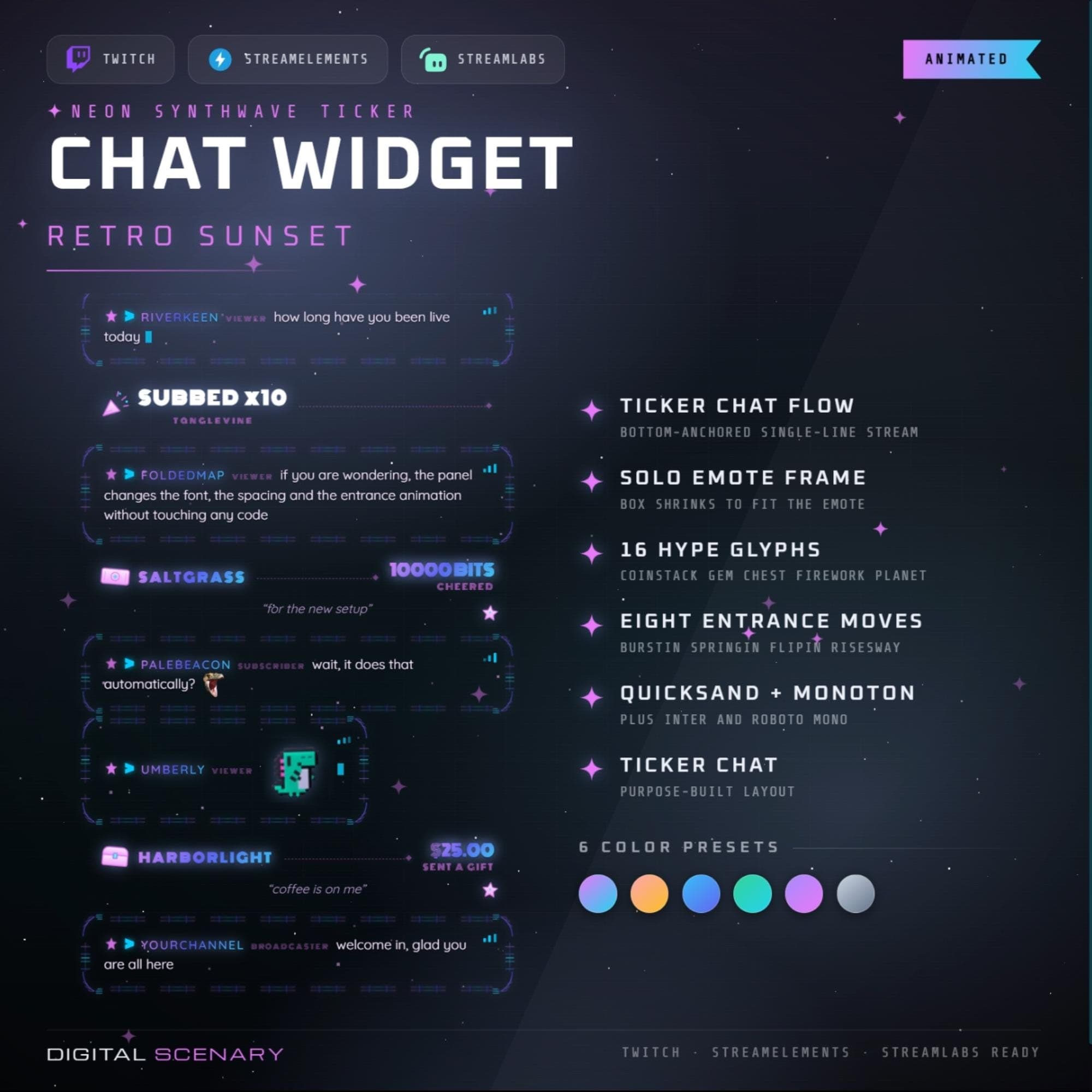 −16%
−16%
−16%Chatbox
Retro Sunset Neon Synthwave Chat Widget for Twitch
$5.39$6.40 on Etsy
Buy more, save more2 items −10%3 items −15%5+ items −25%
Buying once gets you the files, forever. A membership gets you this widget plus the rest as hosted OBS links you edit from a dashboard. Compare them.
Instant download
Lifetime updates
Live in 60 seconds
Works With
StreamElementsStreamlabsOBS Browser Source
What's Inside
- 6 gradient color presets
- 8 entrance animations included
- 16 animated hype glyphs
- Solo emote frame auto-resizes
- Works with OBS and Streamlabs
- No-code panel customization
twitch chat widget · retro sunset overlay · neon synthwave stream · animated ticker chat · streamlabs obs widget · obs browser source · emote frame animation · hype glyphs icons · synthwave color presets · customizable stream widget · vaporwave twitch overlay · streamelements chat box · entrance animation pack
About This Pack
The Retro Sunset Neon Synthwave Chat Widget fills your Twitch chat with a glowing pink-and-blue skyline, six color presets, and eight entrance animations. I built it for streamers who want their chat to feel like part of the scene, not just text bolted onto a stream. Every message drifts in against a hand-drawn synthwave horizon, cozy neon light included.
The Retro Sunset Neon Synthwave Chat Widget is an animated Twitch chat overlay built around a bottom-anchored ticker. Messages flow in a single smooth line instead of stacking into a wall of text. The set includes a solo emote frame that shrinks to fit whatever emote a viewer sends. It also includes 16 animated hype glyphs — coinstacks, gem chests, fireworks, and planets — for subs, cheers, and gifted subs. Eight entrance animations are built in, named Burstin', Springin', Flipin', and Risesway. Text runs in Quicksand and Monoton, paired with Inter and Roboto Mono. Six gradient color presets ship with it, from the signature pink-and-blue Retro Sunset to a clean grey-and-black option. Every color, font, and spacing value is adjustable from the panel without touching code. It drops into OBS, Streamlabs, and StreamElements as a browser source, ready for Twitch, YouTube, and Kick chats.
Setup takes about a minute. Download the file, add it to OBS or Streamlabs as a browser source, and the ticker starts scrolling right where you dropped it. Everything else — chat position, message spacing, badge visibility, event duration — lives in on-screen settings, so you're never touching code to get the look right.
It's built for streamers who want their channel to feel like a scene out of an 80s sunset drive. Moonlit blues fade into warm orange light, and every sub, cheer, and raid lands like a small firework instead of a plain text pop-up. Whether you stream on Twitch, YouTube, or Kick, the widget carries that same glow across platforms.
Once you download it, it's yours, no subscription, no recurring fee. Swap between the six built-in palettes whenever your mood or your season changes, or dial in your own accent colors to match a sponsor, a holiday stream, or just how you're feeling that week.
Behind the scenes, you can choose exactly which events show up in the ticker: follows, subs, tips, cheers, and raids can each be turned on or off. Twitch badges for subs, mods, and VIPs display automatically next to each name. Max message count, message duration, and event duration are all adjustable too, so the pace of the chat matches the pace of your stream.