Back to Shop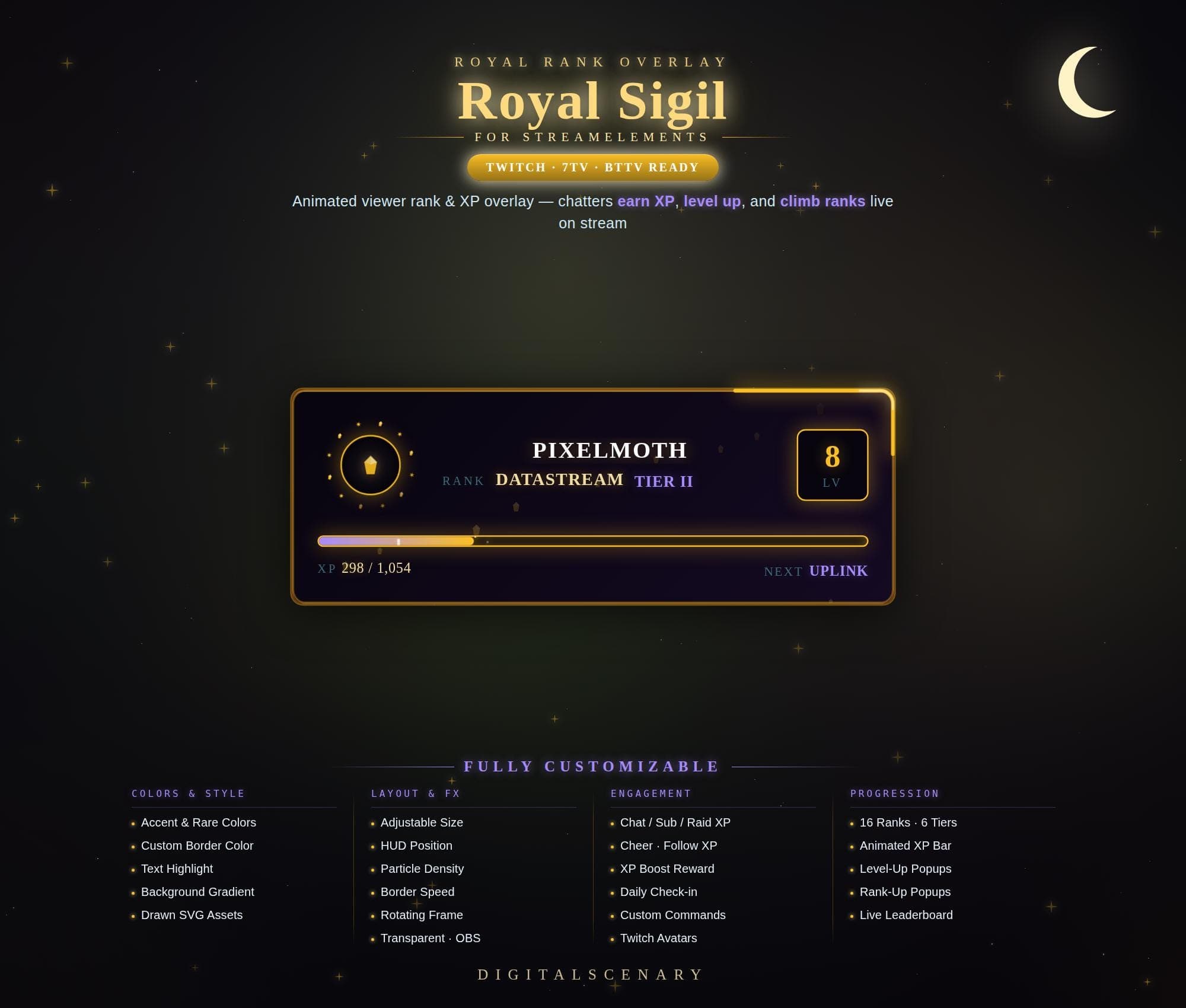 −19%
−19%
−19%XP
Royal Sigil Viewer Rank & XP Bar Overlay for Twitch
$1.29$1.60 on Etsy
Buy more, save more2 items −10%3 items −15%5+ items −25%
Buying once gets you the files, forever. A membership gets you this widget plus the rest as hosted OBS links you edit from a dashboard. Compare them.
Instant download
Lifetime updates
Live in 60 seconds
Works With
StreamElementsStreamlabsOBS Browser Source
What's Inside
- 16 ranks across 6 tiers
- Animated XP bar and popups
- Live viewer leaderboard
- Five built-in chat commands
- Twitch avatars pulled automatically
- Fully customizable colors and layout
twitch overlay · animated stream · viewer rank xp · level up kit · obs overlay · streamlabs kit · custom overlay · gamer design · royal sigil · progression bar · dark mode ui · golden glow · engagement tool
About This Pack
The Royal Sigil Animated XP Rank Overlay turns every Twitch chat message into progress, letting viewers earn XP, level up, and climb ranks live on stream. I designed it for streamers who want chat to feel alive — a moonlit, dark HUD accented in gold and violet, built to reward the people who show up night after night. It's made for StreamElements, and the same animated pieces drop into OBS or Streamlabs as browser sources, so setup stays simple no matter which software you run.
Royal Sigil is an animated viewer rank and XP overlay for Twitch, built for StreamElements and ready for 7TV and BTTV setups as well. Every chat message, follow, sub, cheer, and raid earns XP that you control, and the HUD updates instantly with the viewer's Twitch avatar, current rank, tier, and level. The progression system spans 16 ranks across 6 tiers, from Netlink up to Singularity, with a smooth animated XP bar that fills toward each viewer's next rank. Level-ups and rank-ups trigger their own popup animations, and a live leaderboard lets your most active chatters compete for the top spot. Five chat commands — !rank, !xp, !level, !leaderboard, and !daily — let viewers check their own progress or claim a daily XP bonus on a 20-hour cooldown, and an optional Channel Points reward temporarily doubles XP gain for anyone who redeems it.
Setup takes a few minutes. Unzip the files, add each HUD piece to OBS or Streamlabs as a browser source, then connect StreamElements so XP starts tracking the moment your first viewer chats. Colors, border speed, particle density, and HUD position are all adjustable from the settings panel, so the glow matches your scene instead of fighting it. Once it's set up, it's yours to keep — no subscription required.
Every visual element is customizable: accent and rare colors, custom border color, text highlight, and background gradient, plus drawn SVG assets for the frame itself. Layout controls include adjustable size, HUD position, particle density, and border speed. A rotating frame and transparent background keep it clean for OBS compositing.
Royal Sigil fits channels that lean into a moody, tech-noir aesthetic — gaming, tech, and late-night streams especially. A dark background with gold and violet glow feels right at home there. It's a small system with a real payoff: chatters get a reason to type one more message, follow, or raid, just to watch their bar move. Download it, drop it into your scene, and watch your community start climbing ranks together.