Back to Shop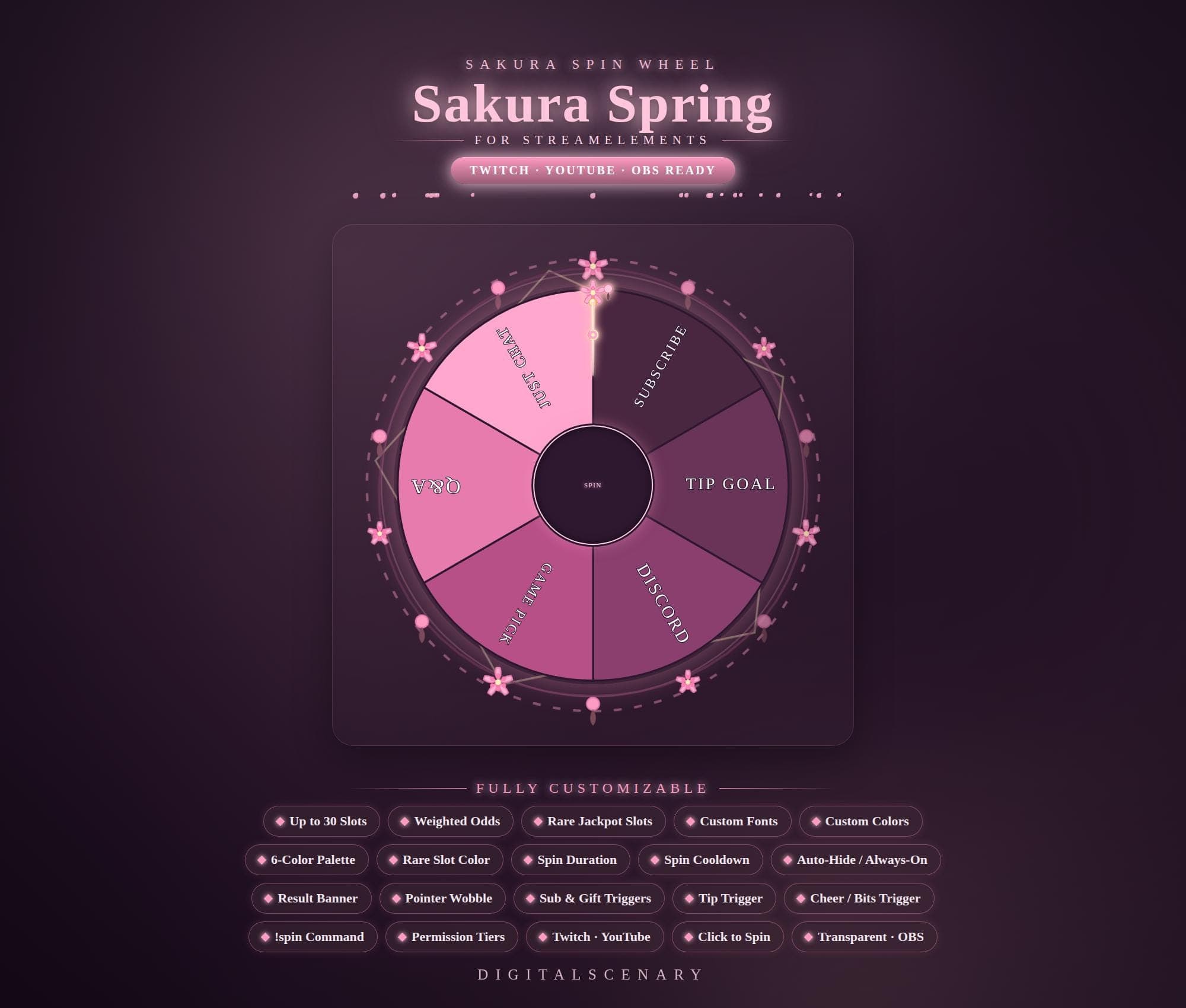 −16%
−16%
−16%Chart
Sakura Spring Spin Wheel Overlay for Twitch & YouTube
$4.39$5.20 on Etsy
Buy more, save more2 items −10%3 items −15%5+ items −25%
Buying once gets you the files, forever. A membership gets you this widget plus the rest as hosted OBS links you edit from a dashboard. Compare them.
Instant download
Lifetime updates
Live in 60 seconds
Works With
StreamElementsStreamlabsOBS Browser Source
What's Inside
- Up to 30 customizable slots
- 6-color palette with rare-slot highlight
- Weighted odds and jackpot slots
- !spin command and click-to-spin
- Sub, gift, cheer, and tip triggers
- Transparent OBS browser source
sakura spin wheel · twitch spin wheel overlay · youtube widget · obs streaming kit · animated alerts · customizable game wheel · streamer tool · interactive event widget · pink channel art · giveaway spinner · channel point wheel · spring elements · live broadcast asset
About This Pack
Sakura Spring is an animated spin wheel overlay for Twitch, YouTube, and OBS built for giveaways, game picks, and chat games in a soft cherry-blossom glow. Pink and lilac wedges spin under a scatter of falling sakura petals, so the wheel feels like part of the scene instead of a bolted-on tool. It drops into StreamElements, OBS, or Streamlabs as a transparent browser source and starts working right away.
Sakura Spring is an animated spin wheel widget for Twitch, YouTube, and Kick, dropped into OBS or Streamlabs as a browser source. The wheel holds up to 30 customizable slots, so you can label wedges for subscriber shoutouts, tip goals, Discord invites, game picks, Q&A rounds, or anything else your chat votes on. A 6-color palette lets you match the wheel to your channel's branding, while a separate rare-slot color highlights jackpot wedges tied to weighted odds. Spins can be triggered by a !spin chat command, a click, subscriptions, gifted subs, cheers, bits, or tips, and permission tiers decide who's allowed to set them off. Spin duration and cooldown are both adjustable, and a result banner with a pointer-wobble effect announces the winning slot. Custom fonts and colors carry through every slot, and the whole overlay can sit auto-hidden between spins or stay always on.
Setup takes about a minute: unzip the file, paste the browser source link into OBS or your StreamElements overlay editor, and the wheel appears ready to spin. From there you can rename every slot, reorder wedges, set weighted odds so a jackpot slot lands less often, and tune how long each spin runs. Once it's set up the way you like, it's yours for good — no recurring dashboard to babysit.
This one suits streamers who want giveaways and channel-point decisions to feel like an event instead of a command that scrolls past in chat. It reads clearly as a wheel from across a stream layout, whether it's picking the next game, deciding who answers a question, or nudging viewers toward your Discord. Cherry blossom in this palette pairs naturally with cozy, pastel, or spring-themed setups, and the 6-color options mean it can lean brighter pink or something more muted if that suits your channel better.