Back to Shop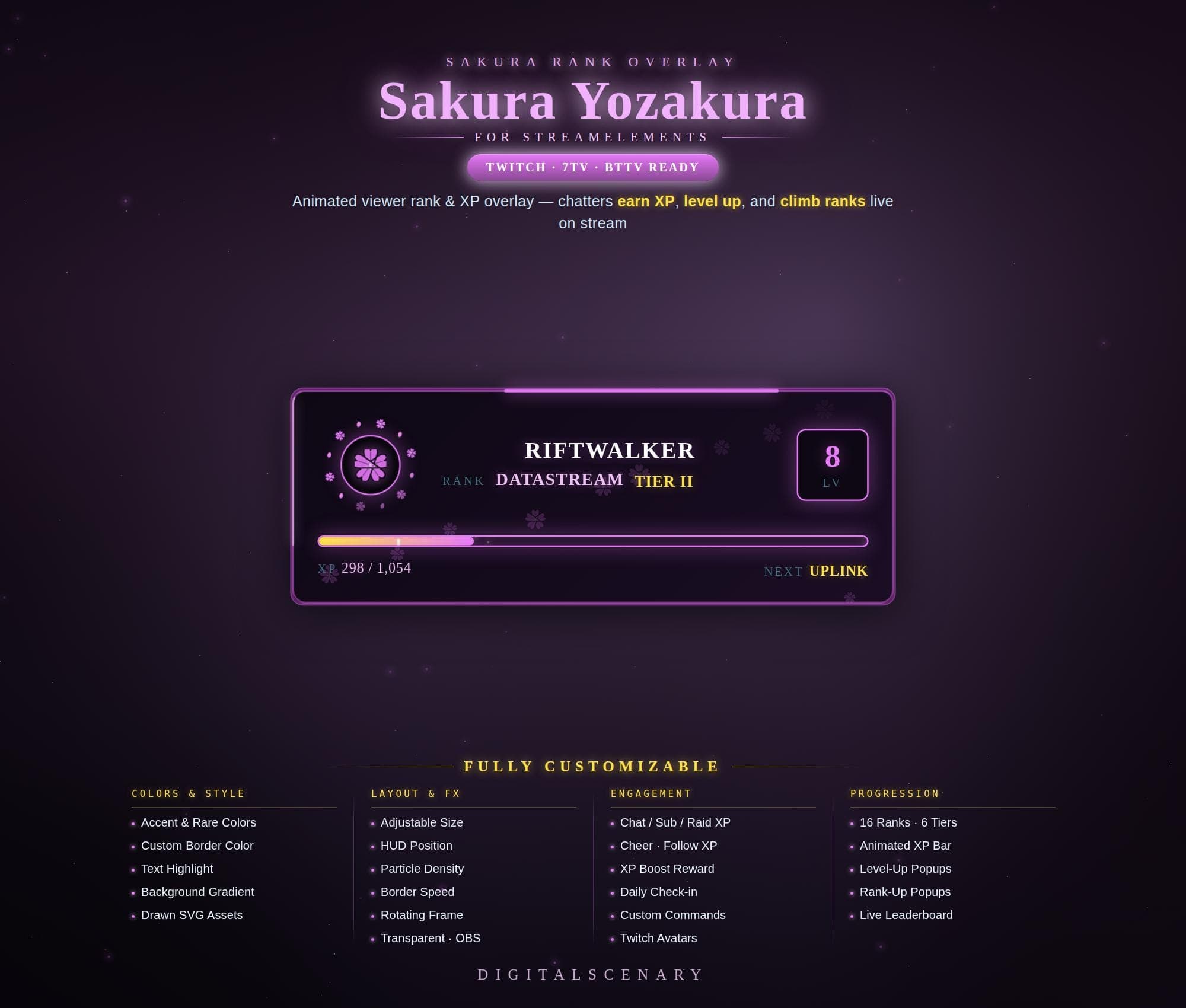 −17%
−17%
−17%XP
Sakura Yozakura Animated Rank XP Overlay
$2.99$3.60 on Etsy
Buy more, save more2 items −10%3 items −15%5+ items −25%
Buying once gets you the files, forever. A membership gets you this widget plus the rest as hosted OBS links you edit from a dashboard. Compare them.
Instant download
Lifetime updates
Live in 60 seconds
Works With
StreamElementsStreamlabsOBS Browser Source
What's Inside
- 16 ranks across 6 tiers
- Animated XP progress bar
- Level-up and rank-up popups
- Live leaderboard command
- 5 chat commands, role-based permissions
- Adjustable particle density and border speed
- Full color and gradient customization
sakura overlay · animated rank · twitch xp bar · streamelements kit · obs overlay · viewer progression · yozakura theme · custom gaming · purple stream · pink aesthetic · live rank display · xp progress bar · gaming streamer
About This Pack
The Sakura Yozakura Animated Rank XP Overlay is a purple-pink Twitch widget where chatters earn XP, level up, and climb through 16 ranks live on stream. I built it for streamers who want their community to feel like it's growing together, not just watching. Every rank card glows with a soft sakura-petal motif, so progression looks like part of your scene instead of a bolted-on scoreboard.
The Sakura Yozakura Animated Rank XP Overlay is a Twitch progression widget built for StreamElements that turns chat activity into a live rank-and-level display. Viewers earn XP from chatting, subscribing, raiding, cheering, and following, then watch their level climb through 16 ranks spread across 6 tiers, each shown inside a glowing sakura-themed HUD with a rotating frame and floating particle effects. A level-up popup and a rank-up popup celebrate milestones on screen, while a live leaderboard highlights the top viewers in your community. Five chat commands ship ready to use: !rank, !xp, and !level whisper a viewer their current progress, !leaderboard posts the top agents in chat, and !daily hands out a bonus XP claim once every 20 hours. Every color, the HUD position, particle density, and border speed can be adjusted directly inside the StreamElements Fields panel, so the overlay matches your channel without touching any code.
Setup lives entirely inside StreamElements. Drop the JS overlay into a browser source, connect it to your channel name, and XP tracking starts from chat messages, subs, raids, cheers, and follows within a minute. Nothing here needs code — every slider and color picker sits in the StreamElements Fields panel, and OBS or Streamlabs Desktop both read the overlay the same way.
Six settings groups reshape the whole HUD: layout, theme colors, particle and border effects, XP rewards, the level curve, and command permissions. Turn up the particle count for a denser petal drift. Slow the border glow for a calmer, moonlit feel, or set the !daily cooldown to fit your schedule. Accent, highlight, and background gradient colors are all yours to change — the pink-and-purple palette here is a starting point, not a limit.
It's a good fit for any Twitch, YouTube, or Kick streamer who wants viewer loyalty to show up on screen, not stay buried in a chat log. Once it's yours, it's yours. Resize it, recolor it, and let your community watch their rank climb every time they show up. It works the same whether your community is twenty regulars or two thousand — the rank ladder just gives everyone a reason to keep showing up.