Back to Shop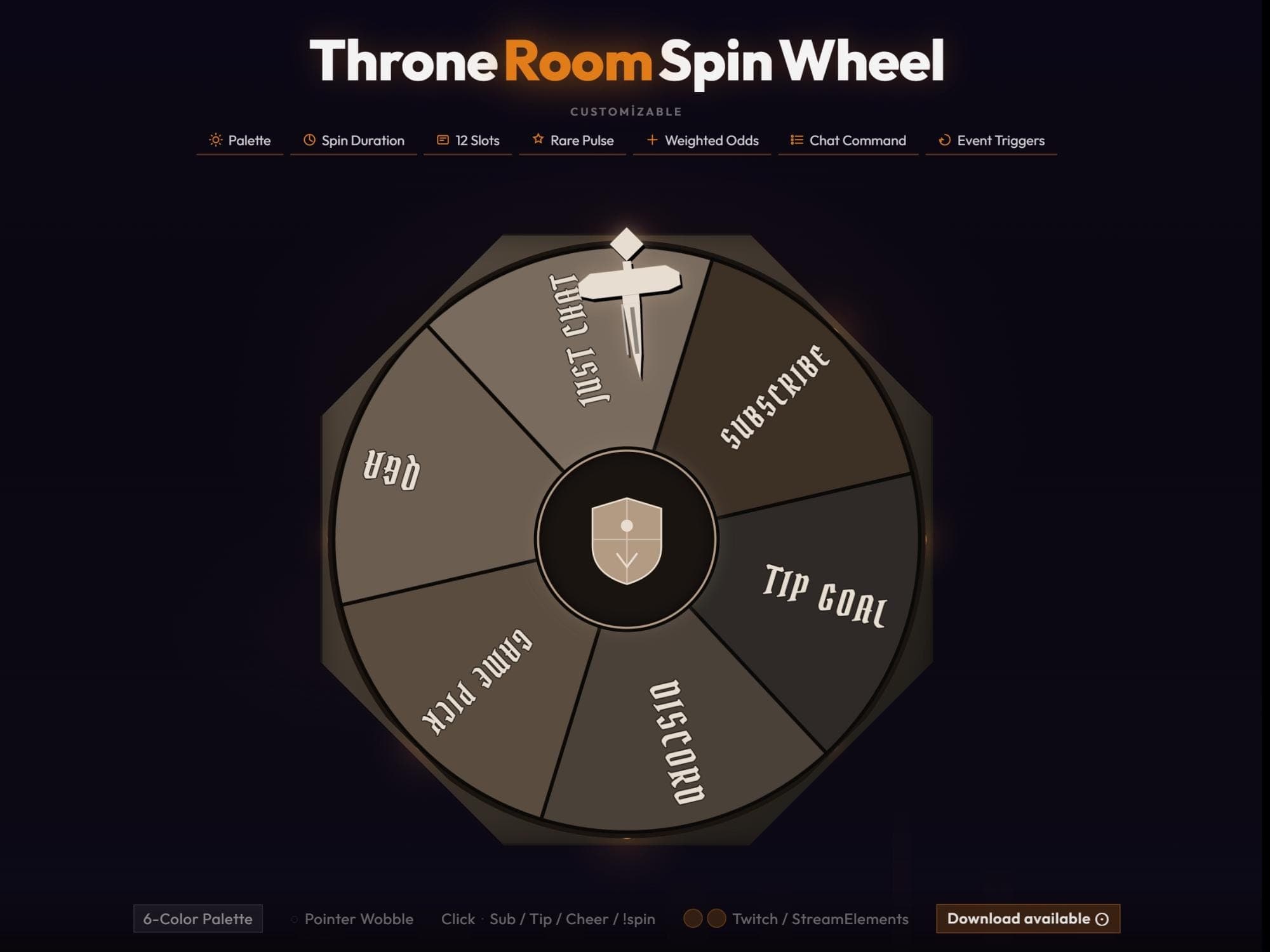 −16%
−16%
−16%Chart
Throne Room Spin Wheel Twitch Overlay for StreamElements
$5.69$6.80 on Etsy
Buy more, save more2 items −10%3 items −15%5+ items −25%
Buying once gets you the files, forever. A membership gets you this widget plus the rest as hosted OBS links you edit from a dashboard. Compare them.
Instant download
Lifetime updates
Live in 60 seconds
Works With
StreamElementsStreamlabsOBS Browser Source
What's Inside
- 6 pre-set slots, expandable to 12
- Rare Pulse highlight effect
- Weighted Odds per slot
- Chat Command and Event Trigger links
- 6-Color Palette customization
- Pointer Wobble animation
- Works with OBS, Streamlabs, StreamElements
throne room wheel · twitch spin event · streamelements app · customizable overlay · interactive stream · obs setup kit · chat command tool · digital download · animated graphic · streamlabs kit · viewer engagement · reward system · live channel gear
About This Pack
Throne Room Spin Wheel is an animated Twitch overlay that turns channel points, subs, tips, and cheers into a dark, suspenseful on-stream spin for viewers. Built by August, DigitalScenary's solo designer, it drops into OBS as a single browser source in about a minute. No extra software or subscription is needed — the file is yours after one download.
Throne Room Spin Wheel is a fully customizable Twitch overlay themed around a dark, regal wheel. It's finished in deep browns, warm beige, and soft gold, with a shield emblem at its center and a sword-shaped pointer marking each result. The wheel ships with 6 pre-configured slots: Just Chat, Subscribe, Tip Goal, Discord, Game Pick, and VOD. Its structure supports up to 12 slots, so you can add more of your own. Every spin can be tuned through Spin Duration, a Rare Pulse effect for standout outcomes, and Weighted Odds. Weighted Odds let certain results land more or less often than others. Slots can also trigger Chat Commands or Event Triggers, so a subscription, tip, cheer, or a !spin message in chat can start the wheel on its own. A 6-Color Palette and a Pointer Wobble setting let you match the wheel to your channel's exact look.
Setup is simple: download the file, unzip it, and add the wheel as a browser source in OBS, Streamlabs, or StreamElements. From there you can rename any of the 6 default slots and extend the wheel up to 12. Reweighting the odds means a rare prize can land less often than a common one. Chat Command and Event Trigger links mean a viewer typing !spin — or subscribing, tipping, or cheering — can start the spin without you touching a mouse.
The Throne Room theme suits any channel leaning into a moody, regal atmosphere. It works for fantasy streamers, variety channels, or anyone who wants their decisions to feel like an event. Use it for channel-point redemptions, picking the next game, choosing a chat topic, or rewarding a new subscriber with a spin of their own. Every slot, color, and animation stays yours once you've downloaded it, so the wheel can evolve alongside your channel.